
Meet the Nexo Data Modeler
An early preview of a fast, diagram-first data modeler built for models with hundreds of tables, flexible auto layout, and two-way synchronization.
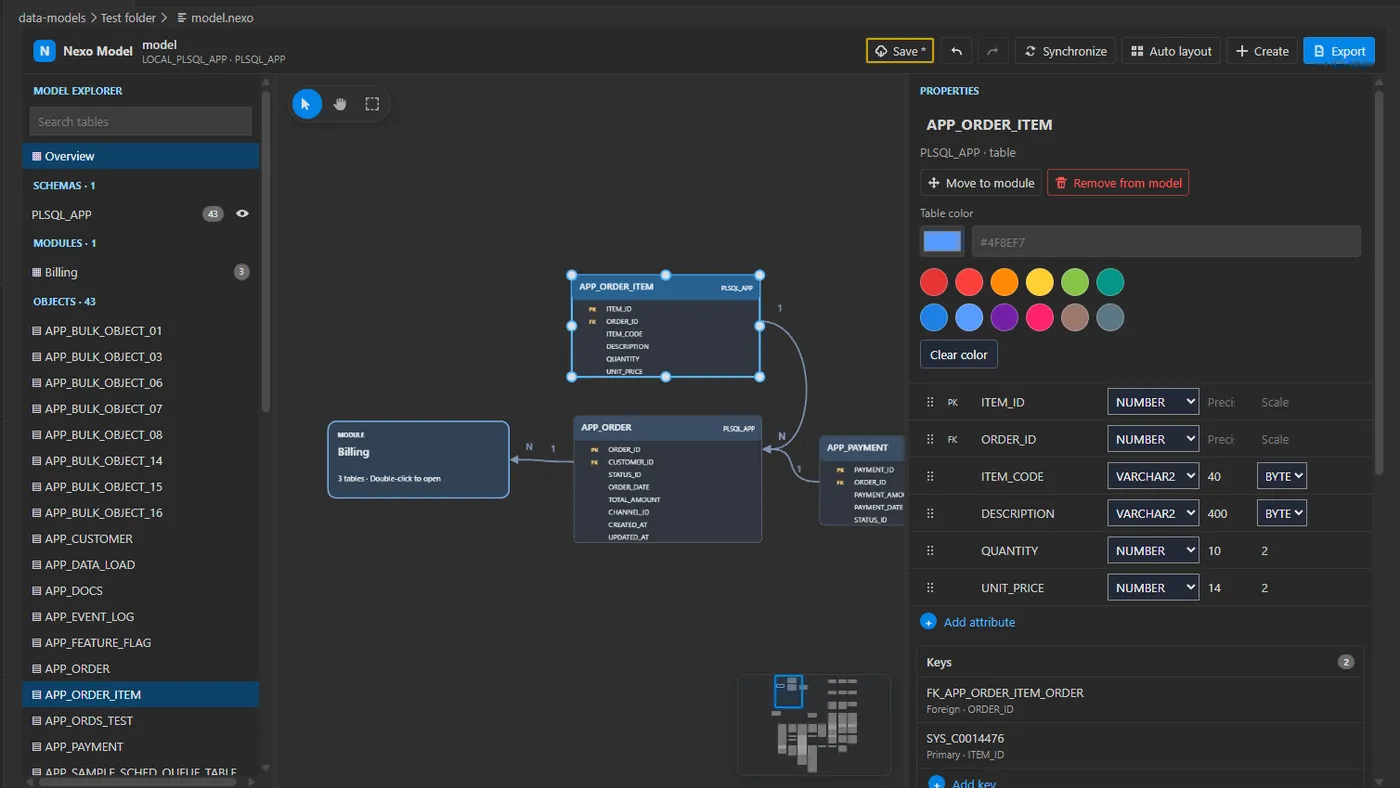
The new Nexo data modeler is here as an early preview, ready to turn even large schemas into clear, explorable diagrams. You can use it today in Nexo SQL Studio from the new "Data models" navigation panel, where models can be organized into folders.
It has been prepared to keep working smoothly with hundreds of tables in one model. Choose from different auto layout options to organize a whole diagram or the area you are working on, then refine the result freely. Two-way synchronization keeps the model and database aligned: bring database changes into the diagram and apply model changes back to the database when you are ready. Try it now in Nexo SQL Studio and share your feedback to help shape what comes next.
High-quality HTML and PDF exports
Share and archive your models beyond the editor. Nexo can export complete models and selected diagrams as polished HTML or high-quality PDF files, ready for documentation, reviews, presentations, and offline reference.
Edit models with any AI through Nexo AI MCP
The new Nexo AI MCP model-editing tool lets Claude, Codex, and other compatible AI assistants create and edit your saved models. Keep the diagram open and you can see their changes appear in real time, making every update easy to follow and review.
A model file that stays transparent
Each model is also a regular workspace file with a built-in format validator. This clear, validated format lets any AI assistant you choose edit the model reliably. Nexo checks every change immediately and reports errors in VS Code's Problems panel, so the AI or you can correct them at once without leaving the editor.