Sidebar

Mobile navigation sidebar

Oracle database development
Now in public beta

Nexo SQL Studio for AI-assisted SQL development AI PL/SQL development

Build and maintain SQL and Oracle PL/SQL with less friction: rich autocompletion, IntelliSense, formatting, navigation, smart results, debugger, unit testing, version control, AI development, without leaving Visual Studio Code.

AI PL/SQL

AI mcp PL/SQL development

Offline dev

Offline dev and version control

Debug / UT

Step debugger, UTPLSQL unit testing

Apex / ORDS

Apex and REST Data Services support

Beta

Public access

Explore
Overview

What is Nexo SQL Studio?

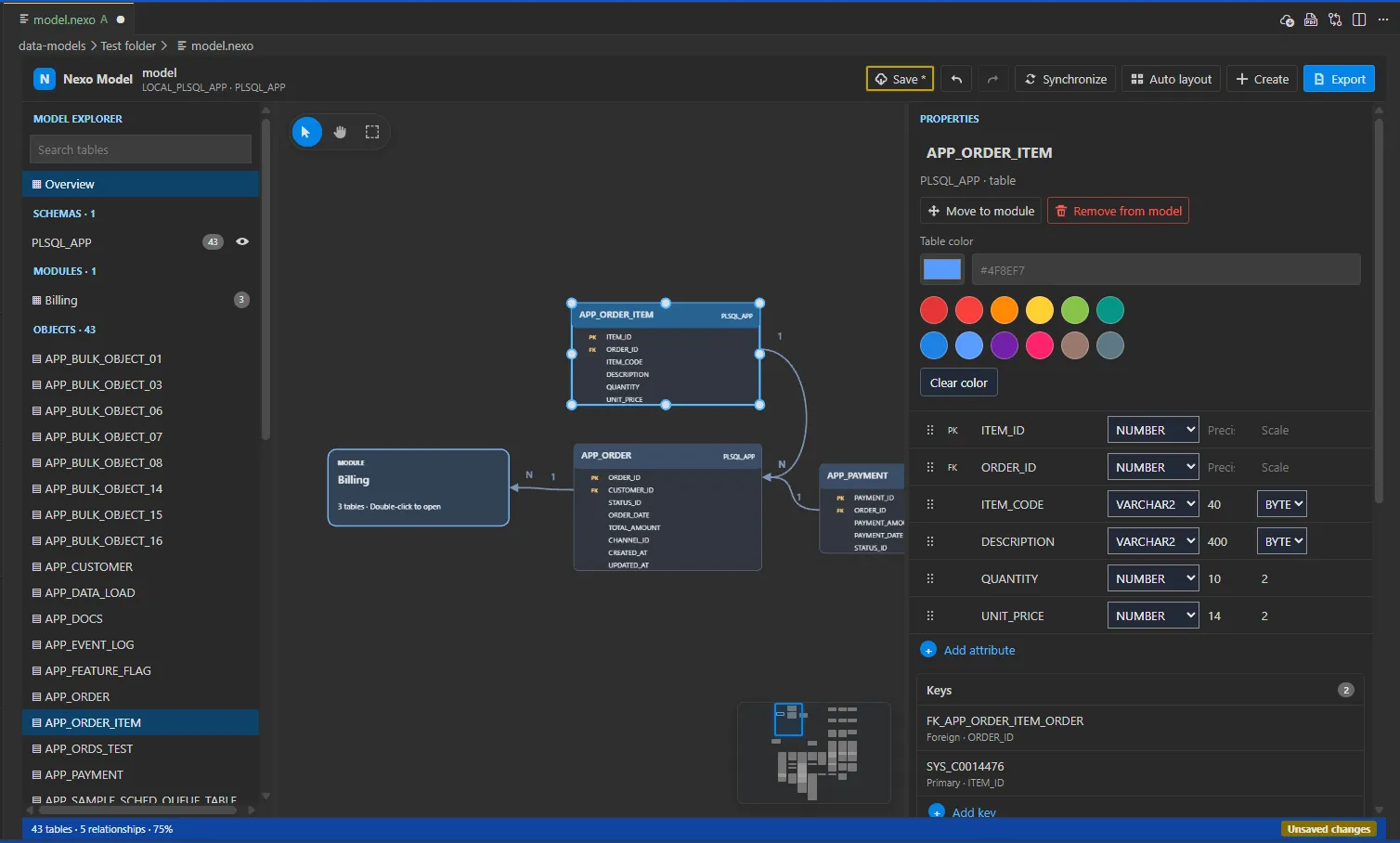
Nexo SQL Studio is a VS Code extension for Oracle SQL and PL/SQL development. It brings schema exploration, worksheets, IntelliSense, formatting, offline DDL, deployments, testing, and AI-assisted workflows into the editor you already use.

Oracle work inside VS Code

Browse schemas, open worksheets, run SQL, inspect results, and edit database objects without switching tools.

Code-aware PL/SQL tooling

Use autocompletion, go to definition, snippets, formatting, diagnostics, and offline source files in one workspace.

Ready for AI workflows

Expose approved database actions through MCP so assistants can help with metadata, queries, compilation, and delivery tasks.

Feature set

Built for daily Oracle development

Everything you need to move from exploration to delivery without leaving VS Code.

Autocompletion

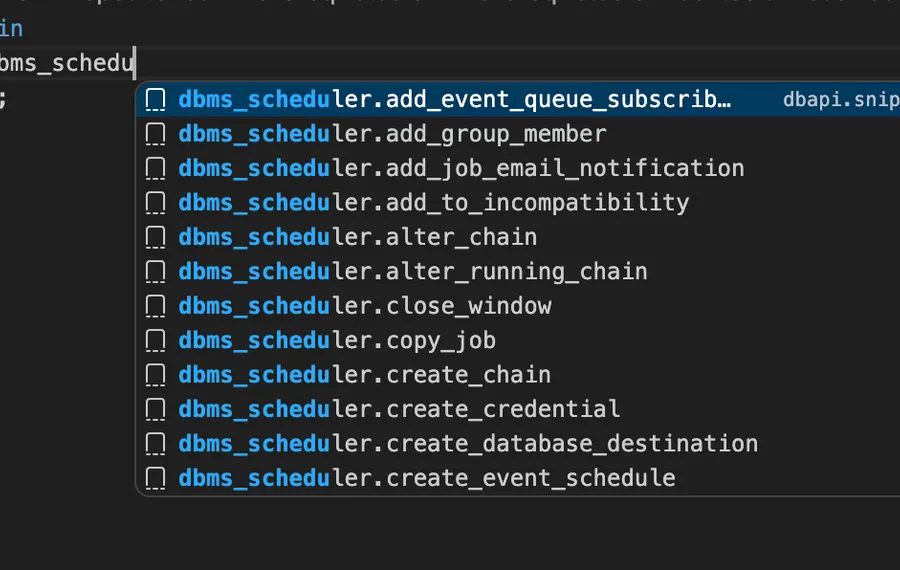
Smart Code Completion

Autocomplete suggestions in VS Code

Suggests package members and context-aware symbols as you type Oracle SQL and PL/SQL — IntelliSense-powered so you stay in flow without context switching.

Go to Definition

Jump between declarations, package specs, and bodies with a single keystroke. Works across files in any search path.

Code Formatting

Keeps scripts readable and consistent for teams working across large Oracle database codebases.

Query Results

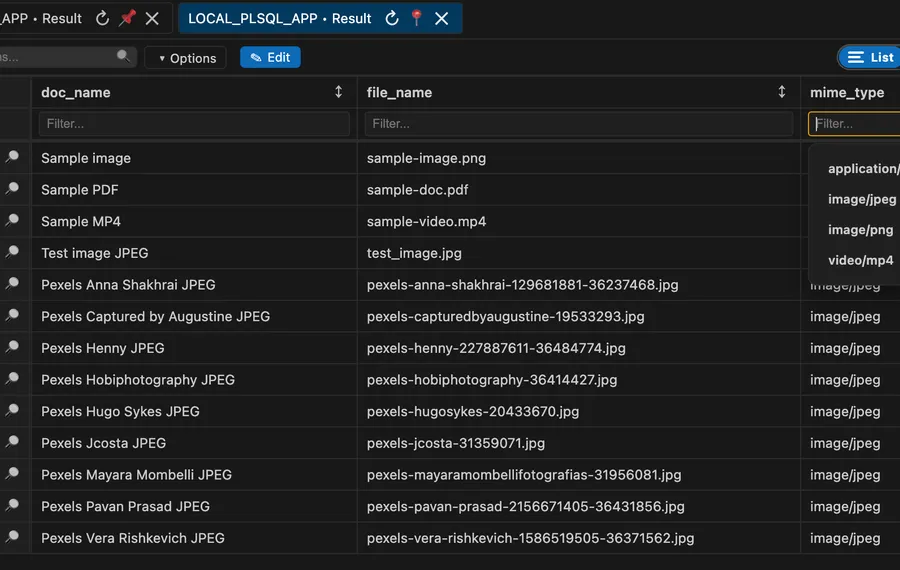
Interactive Results Panel

Query results grid in VS Code

Run statements and inspect result tabs with filtering, sorting, pagination, export, gallery view for BLOBs, and detailed cell previews — all without leaving VS Code.

Offline DDL Export

Export database objects into local files quickly so you can work offline and track every change in Git.

Object Edit Blocks

Open and edit object definitions in structured blocks for safer, iterative database changes.

Workflow

From live database to offline files

  1. 01

    Connect

    Reuse Oracle SQL Developer connection metadata and open a SQL worksheet in seconds.

  2. 02

    Browse

    Inspect folders, object types, and object names, then jump directly into definitions.

  3. 03

    Edit

    Apply object edits with block-oriented workflows and compile directly from the workspace.

  4. 04

    Export Offline

    Generate and refresh local DDL trees fast so teams can iterate with files and pull requests.

Platforms

Works on Windows, macOS & Linux

Install directly from the VS Code Marketplace — no extra configuration required on any operating system.

Windows

Windows 10 & 11

macOS

macOS 11+

Linux

Ubuntu, Fedora & more

Ship PL/SQL changes with less friction

Use Nexo SQL Studio to speed up discovery, editing, validation, and offline export in one VS Code experience.

Download

Install Nexo SQL Studio

Install from the VS Code Marketplace or the Open VSX Registry.

Visual Studio Code logo

+ Install on VS Code

Available on the VS Code Marketplace.

Cursor editor logo

+ Install on Cursor

Available through Open VSX for Cursor and compatible editors.