
Feature
Folder Settings Get a Dedicated UI
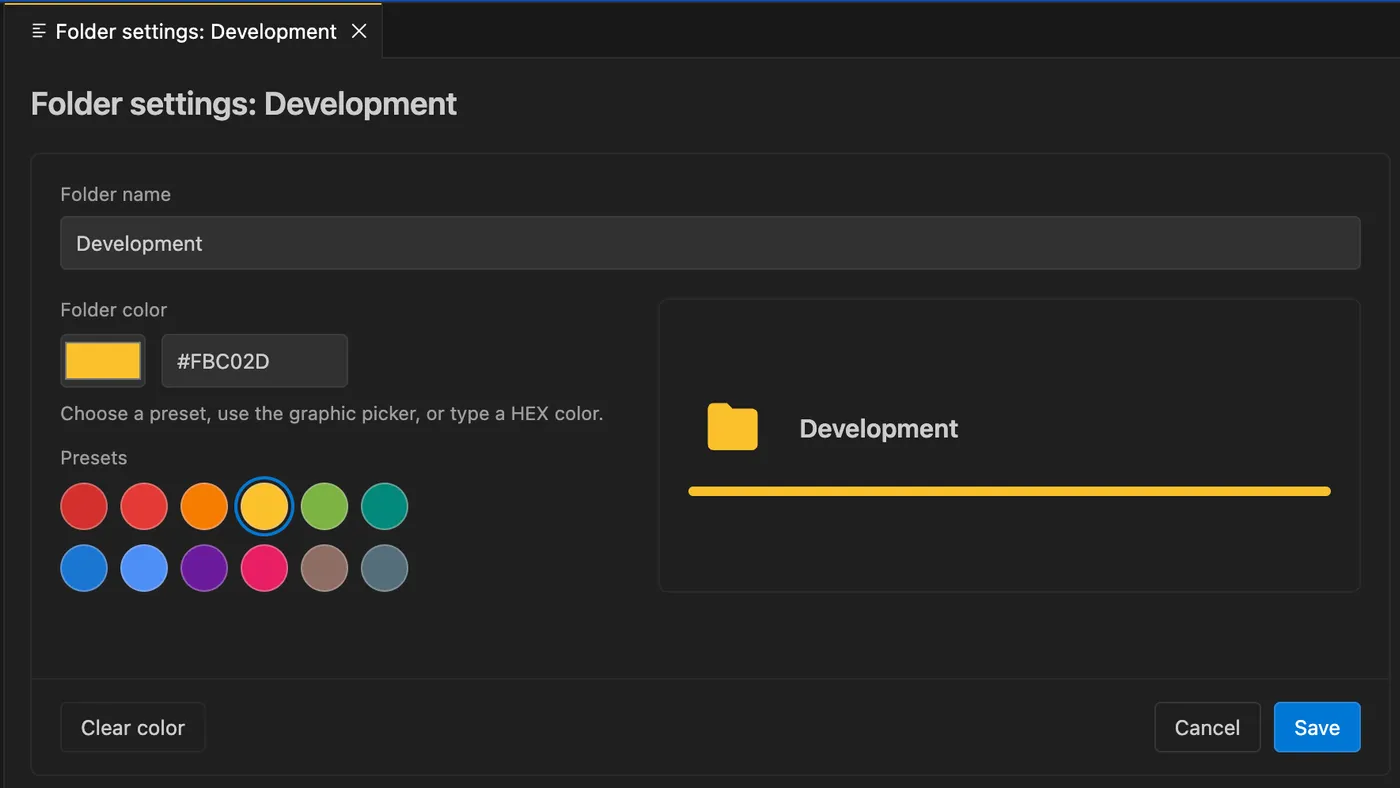
Create and edit folders with a proper settings dialog, color picker, presets, previews, and consistent behavior across supported explorers.
N Nexo SQL Studio Team
· Folder organization now has a full settings screen instead of a small one-field prompt.
Why it matters
You can name folders, choose a color from presets or a manual picker, clear the color when needed, and see the preview before saving. The same dialog is used when creating or editing folders across the supported Nexo SQL Studio explorers.
How to use it in Nexo SQL Studio
Open VS Code, choose the relevant Nexo SQL Studio view or command, and keep the workflow close to your SQL and PL/SQL files. The extension is designed so discovery, editing, execution, review, and feedback stay in one workspace.
Tags:
Oracle
VS Code
PL/SQL