
Feature
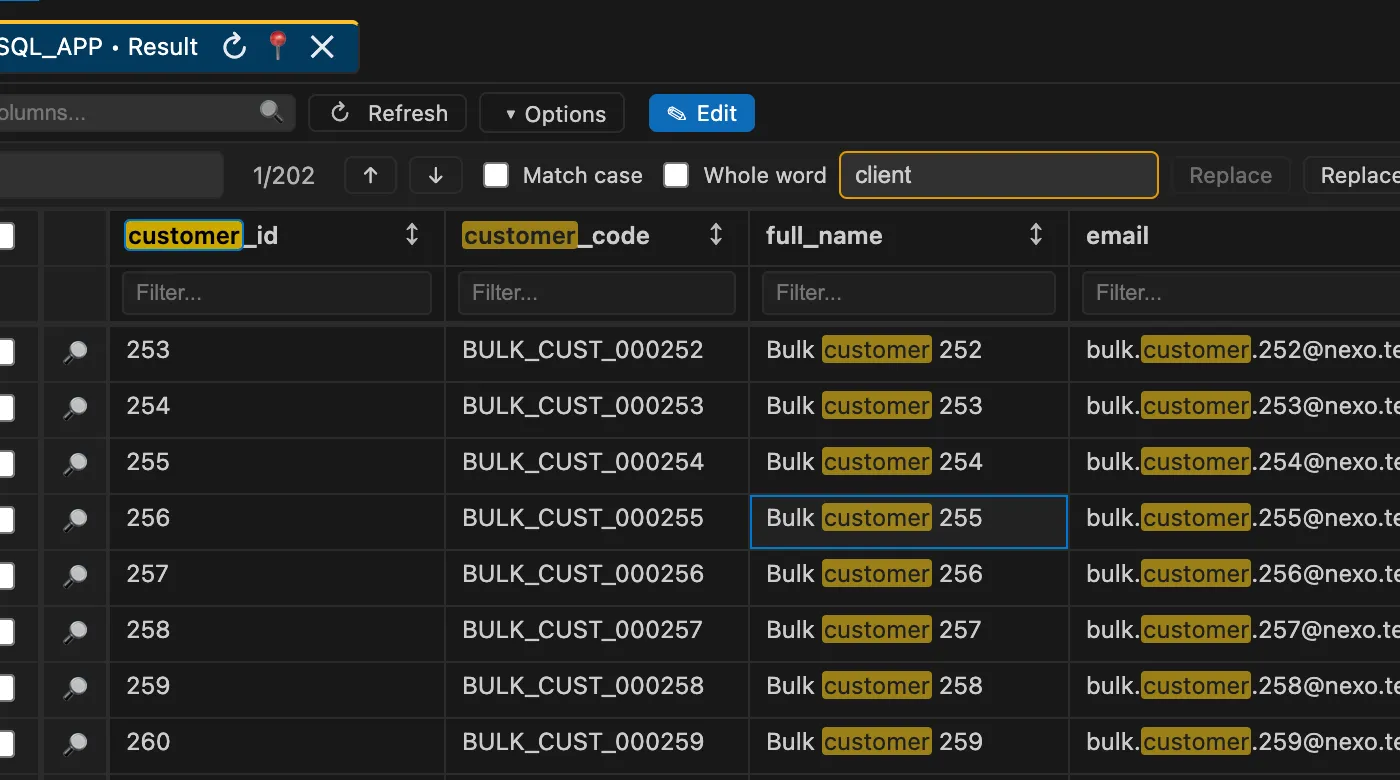
Search and Replace in Worksheet Results
Find text across result headers and visible cells, navigate matches, and replace editable values directly from SQL result tabs.
N Nexo SQL Studio Team
· Worksheet result tabs now include a focused search and replace workflow for the data you are inspecting.
Why it matters
Use Ctrl+F or the Options menu to search headers, menus, and result cells. Editable result grids can also replace one match or all visible matches, preserving the same pending-edit flow used by manual cell edits.
How to use it in Nexo SQL Studio
Open VS Code, choose the relevant Nexo SQL Studio view or command, and keep the workflow close to your SQL and PL/SQL files. The extension is designed so discovery, editing, execution, review, and feedback stay in one workspace.
Tags:
Oracle
VS Code
PL/SQL